Explore a topic
Computers.
One question. One useful answer.
HOW TO MAESTRO
All guides

How to protect your computer and data from cyber attacks
Practical steps to reduce cyber-attack risk, protect accounts and files, and respond safely if you suspect a compromise.
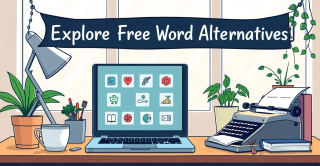
Free Word Alternatives to Microsoft Word You’ll Love
Compare free Microsoft Word alternatives, choose by your document task, and check DOCX layout and collaboration limits before switching.
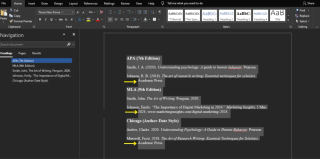
How to do hanging indent on Microsoft Word and Google Docs
Apply a paragraph-level hanging indent in Word or Google Docs; keep the first line at the margin and indent the lines that wrap.

How to combine PDF files online or locally on a Mac
Merge PDFs in the right order, choose between an online tool and Mac Preview, and verify the finished file while keeping the originals.

How to clear browser cache in Chrome, Firefox, Edge and Safari
Clear cached website files in major browsers, understand when cookies are different, and check the result without deleting unrelated data.

How to Find and Claim Monthly Games with PlayStation Plus
Find the current PS Plus Monthly Games on PS5 or PS4, add them to your account, and check your membership and offer before downloading.

How to Fix Steam Stuck on Loading User Data
A cautious guide to checking Steam sign-in, connection, and cache issues without deleting account files or treating community reports as guaranteed fixes.
How to enable macros in Excel on Windows and Mac
Enable a trusted Excel macro, understand blocked internet files, and find the correct Windows or Mac settings without enabling every macro.

How to make a graph in Excel: steps, example and fixes
Make a graph in Excel with a simple sales example. Learn to select data, choose a chart, fix missing labels and correct numbers stored as text.
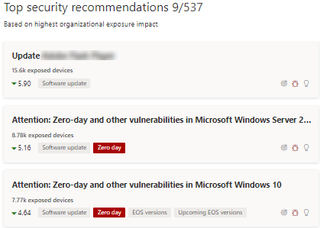
How to Reduce Your Risk from Zero-Day Vulnerabilities
Reduce zero-day risk by updating software promptly, limiting exposure, using layered defenses, and acting quickly when a vendor issues a fix.
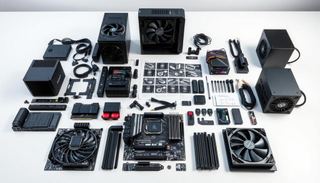
How to choose components and build a gaming computer
Choose parts around your games, budget, and compatibility, then assemble them using each component’s manual and verify the PC starts reliably.

How to set up and use Slack for team communication
Step‑by‑step guide to install Slack, join a workspace, set up your profile, configure notifications, create channels, and troubleshoot common issues.
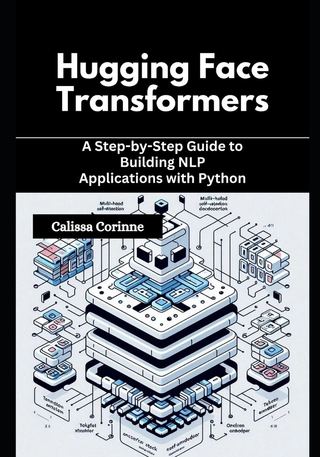
How to use Hugging Face models on your computer
Install Transformers, load a model in Python, and run it locally; model size and hardware determine how well it performs.

How to set up and manage a Nintendo Switch Online subscription
Set up or manage Nintendo Switch Online from the system’s HOME Menu, Nintendo eShop, or Nintendo’s website, and check auto-renewal before your next billing date.
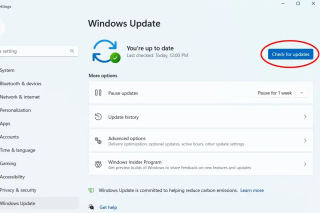
How to Check for and Install Microsoft Updates on Windows
Check Windows Update in Settings, install anything offered, restart if prompted, and verify the update status afterward.
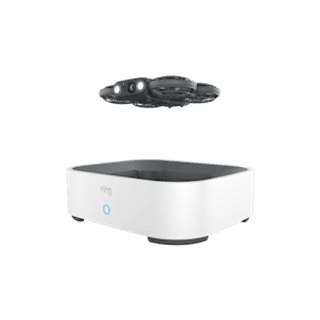
How to check Ring Drone Cam compatibility and requirements before setup
Check your Wi-Fi, indoor single-floor layout, power, operating conditions, and subscription needs against Ring Drone Cam’s published requirements before setup.

How to update Fritz!OS firmware on AVM Fritz!Box routers
Step‑by‑step guide to safely update FRITZ!OS 8.51 on any AVM FRITZ!Box, covering online and manual methods, prerequisites, verification and troubleshooting.

How to play games on Mac
Play Xbox Cloud Gaming on a compatible Mac: check requirements, connect a controller, sign in, and troubleshoot streaming problems.
How to Buy and Download Games from the Nintendo eShop in the Philippines
A cautious Philippines-specific guide to buying and downloading eShop games, with unverified pricing and payment details clearly flagged.

How to create a Google Cloud account and set up your first project
Create a Google Cloud account, start a project in the console, and verify it in the project dashboard while keeping billing decisions clear.

How to compare Xbox Series X and PlayStation 5 specifications to choose the right console
Compare Xbox Series X and PS5 specs step‑by‑step to decide which console best fits your GTA 6 and overall gaming needs.
How to Check for and Install Nintendo Switch Firmware Updates
Check and install the latest Nintendo Switch firmware via System Settings → System → System Update.

How to Find and Play Games Included with PlayStation Plus Extra
Find the Game Catalog on PS5 or PS4, download an eligible title, and check the membership limits before playing.

How To Get Xbox Game Pass and Play Fallout 76
Subscribe to Xbox Game Pass, confirm Fallout 76 is included, then install or stream the game on Xbox, PC, or cloud.

How to use the PS5 DualSense controller on a Windows PC
Step‑by‑step guide to connect a PS5 DualSense (or DualSense Edge) controller to Windows via USB or Bluetooth, configure Steam, and troubleshoot.
How to Connect a Printer to a Network
Connect a Wi-Fi printer to your network, add it on Windows, or share a printer connected to a Windows PC.

Claude Duet: waitlist, eligibility and app setup
Join the Claude Duet waitlist, check US Pro, Max or Ultra eligibility, and set up the app after your invitation. Includes access troubleshooting.
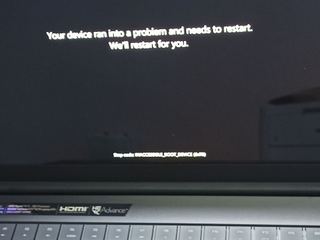
How to fix Windows' Inaccessible Boot Device error
Start with recent storage or firmware changes, then use Windows Recovery Environment to inspect the disk and boot configuration without guessing at repairs.

How to Check Whether an Xbox Game Is Being Delisted and Keep Access to Purchased Copies
Check GameMill announcements and the exact Xbox listing, then verify the right account, purchase type, library entry, and console compatibility.

How to set up a Sony PlayStation console and connect it to the internet
Follow the PS5 or PS4 network menu for Wi-Fi or wired LAN, then check the connection and troubleshoot using PlayStation’s model-specific guidance.
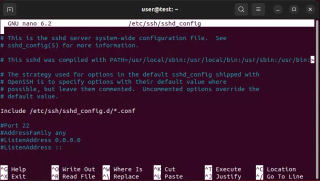
How to install and configure OpenSSH on Windows, macOS, and Linux
Install the OpenSSH client to connect out; install and enable the server only on devices that should accept incoming SSH connections.

How to Use the Controls in Zelda: Ocarina of Time on Nintendo Switch 2
Use the Switch 2 version’s on-screen control guide to learn the new layout, then practice movement, combat, items, and camera controls.

How to Protect Our Internet Browsing with Sandboxie
Step‑by‑step guide to install Sandboxie, run your web browser inside a sandbox, verify isolation, and safely delete the sandbox.
How to Get and Play Zelda: Ocarina of Time on Nintendo Switch 2
Get Zelda: Ocarina of Time on Switch 2 via a physical copy or Nintendo Switch Online + Expansion Pack, then launch and play it.
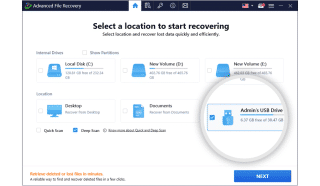
How to Recover Deleted Files from a USB Flash Drive for Free
Stop using the USB, check whether files are merely hidden, then scan and recover to a different drive.
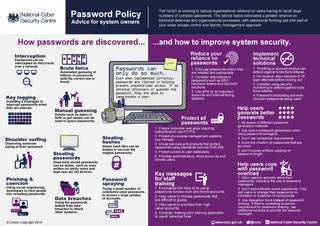
How to apply NCSC security guidelines to protect your personal computer
Step‑by‑step guide to apply NCSC recommendations and secure your personal PC, from backups to 2‑step verification.

How to Set Up an Xbox Console and Connect It to Wi-Fi
Set up an Xbox, join Wi-Fi during first-time setup, and use official model-specific help if setup or the connection fails.
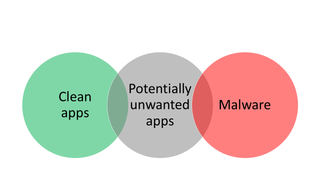
How to Check a Computer for Malware and Remove It Safely
A practical, source-grounded guide to scanning Windows or Mac with Microsoft Defender, responding safely to detections, and checking whether the scan finished.

How to Connect Bluetooth Headphones to a PC
Pair Bluetooth headphones through Windows settings or, on supported devices, Swift Pair; the exact steps differ between Windows 11 and Windows 10.

How to Compare PlayStation 5 Bundles and Spot Black Friday Deal Scams
Step‑by‑step guide to safely compare PS5 bundles and identify Black Friday deal scams.

How to Protect a Synology NAS from Ransomware
Harden DSM, protect shared folders with snapshots where supported, and keep versioned backups at a separate destination.

How to set up and use Xero accounting software
Set up Xero by entering opening balances, adding a bank or card account, importing statements, and reconciling transactions.
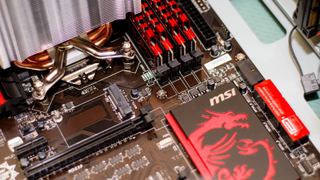
How to check, upgrade, and optimize RAM on a Windows PC
A practical Windows guide to checking RAM use, judging upgrade needs, and avoiding incompatible memory purchases.
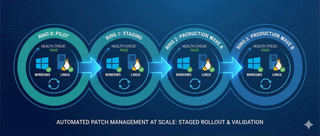
How to identify and prioritize critical software updates on Windows and Linux
A practical, risk-based process for prioritizing Windows and Linux updates, with version-aware guidance and clear limits where Linux details are unavailable.
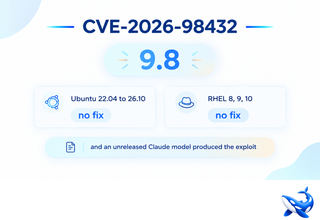
How to Check and Patch Linux Systems for CVE-2026-98432
Check the running kernel, verify your distribution’s CVE status, install only a confirmed vendor fix, then reboot and recheck.
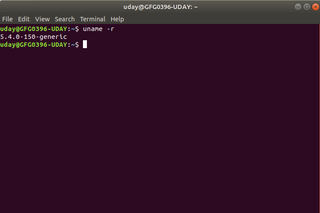
How to Check Your Linux Kernel Version and Update It Safely
Check the running kernel with uname -r, then use your distribution’s package manager to update it after verifying a backup.

How to connect a MacBook Pro to a Pro Display XDR
Connect Pro Display XDR directly to a compatible MacBook Pro with Thunderbolt 3, then adjust the screen in macOS Displays settings.
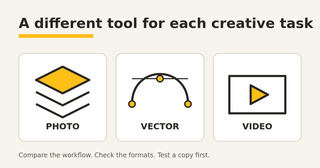
Adobe Suite alternatives: free tools and ArtCraft apps
Compare Adobe alternatives for photos, vectors, video and layouts, including ArtCraft's AI-assisted recreations, free tools and compatibility checks.

How to set up a basic home server on Windows or Linux
Set up a private-network file server on Windows or Linux, with security, backup, and troubleshooting basics.

How to set up and use GitHub Copilot for coding assistance
Set up GitHub Copilot in a supported IDE, try chat and code suggestions, review AI-generated changes, and troubleshoot common setup issues.
How to Set Up a New MacBook Pro
A practical checklist for preparing, setting up, and troubleshooting a new MacBook Pro without risking the data on your old computer.

How to map a Network Drive
Map a network drive easily with our step-by-step guide! Discover how to streamline file access on Windows 10 and 11. Learn more now!

How to check CPU temperature
Check your CPU temperature to prevent overheating and performance issues. Discover easy methods to monitor it and keep your system running smoothly!

How to unhide all rows in Microsoft Excel
Unhide all rows in Excel effortlessly! Discover simple steps to reveal hidden data and enhance your spreadsheet management. Learn more now!

How to update Roblox
"Update Roblox easily on any device! Discover step-by-step instructions to ensure smooth gameplay. Learn more and keep your game fresh!"

How to create meme video
Create hilarious meme videos effortlessly! Discover step-by-step tips and tools to unleash your creativity. Learn more and start making memes today!

How to create Memes
"Learn how to create memes that resonate! Discover tips, tools, and techniques to craft engaging and humorous content. Start your meme journey today!"

How to Make Your Computer Faster
Boost your computer's speed with simple tips and advanced techniques! Discover how to optimize performance and enhance productivity. Learn more now!

How to discover the best talents in EA Sports FC 24
Discover the best talent in EA Sports FC 24! Uncover top young players and master the scouting system. Learn more to build your ultimate team!

How to Create a Viral Video
Learn how to create a viral video that captivates audiences worldwide. Discover essential tips, strategies, and equipment to enhance your video production.

How to enable Two-Factor Authentication (2FA)
Learn how to enable two-factor authentication (2FA) to protect your online accounts. Discover the benefits of 2FA and how to set it up on popular platforms.

How to refund your entire Fortnite Account with FTC
"Refund your Fortnite account with FTC! Discover how to claim your money back for unauthorized charges. Learn more and act before the deadline!"

How to download and install Ubuntu on your computer
Learn how to download and install Ubuntu on your computer. Follow the step-by-step guide to choose the right installation method, ensure hardware compatibility, and explore post-installation steps for a functional Ubuntu desktop environment.

How to play Minecraft AI using Oasis: generate a Minecraft world with AI
Learn how to play Minecraft AI using Oasis and generate a Minecraft world with AI. Experience interactive gameplay without the need for the official game client. Explore the benefits and limitations of AI-generated content in Minecraft.

How to Password Protect an Microsoft Excel File
Password protect your Microsoft Excel files easily! Discover step-by-step instructions to secure your sensitive data. Learn more to keep your information safe!

How to Update Nvidia Drivers on Your PC
Update Nvidia drivers for optimal PC performance! Follow our easy step-by-step guide to enhance gaming and fix glitches. Learn more now!

How to Create Pivot Table in Microsoft Excel
"Learn how to create Pivot Tables in Microsoft Excel to easily summarize and analyze your data. Discover tips and tricks for effective data management!"

How to update your Eskom electricity meter
Update your Eskom electricity meter to KRN 2 before the deadline! Discover step-by-step instructions to ensure uninterrupted power supply. Learn more!

How to use VLOOKUP in Microsoft Excel
Master VLOOKUP in Microsoft Excel to streamline your data retrieval! Discover how to efficiently find information and boost your productivity. Learn more!

How to screenshot on Windows, Mac, Chromebook, iPhone, and Android
Learn how to screenshot on Windows, Mac, Chromebook, iPhone, and Android effortlessly! Discover simple steps to capture your screen. Find out more!

How to Delete a Page in Microsoft Word
Learn how to delete unwanted pages in Microsoft Word effortlessly! Discover step-by-step instructions for Windows, macOS, and mobile. Find out more!

How to download Call of Duty Warzone
Learn how to download and install Call of Duty: Warzone on your console or PC. Follow the step-by-step guide to access the game on various platforms and troubleshoot any installation issues.

How to Download Minecraft: Step-by-Step Guide for All Devices
Learn how to download Minecraft on various devices, including smartphones, consoles, and PCs. This step-by-step guide provides detailed instructions for downloading Minecraft on different platforms.

Easily Convert PDFs to Word: A Comprehensive Guide for Editing PDFs
Learn how to easily convert PDFs to Word for editing. This comprehensive guide covers the benefits of converting PDFs to Word, step-by-step instructions, and advanced tips for successful conversions.

How to Code: A Beginner's Guide to Unlocking Your Potential
Learn how to code with this beginner's guide. Discover the best programming languages, resources, and tips to unlock your coding potential and pursue a career in tech.

How to Watch the League of Legends World Championship 2024: A Guide for Beginners
Learn how to watch the League of Legends World Championship 2024 with this beginner's guide. Discover the event schedule, streaming platforms, and tips for an immersive viewing experience.

How to Free Space on Your Hard Disk Drive: Tricks and Tips
Learn how to free up disk space on your hard disk drive with these tricks and tips. Discover methods to manage storage, delete unnecessary files, and optimize your computer's performance.

How to create drop down list in Excel
Learn how to create drop-down lists in Excel to improve data quality and consistency. Follow the step-by-step guide to restrict data input and enhance data management.

How to remove duplicates in Excel
Learn how to remove duplicates in Excel using built-in tools, functions, and advanced techniques. Follow the step-by-step guide to ensure data accuracy and consistency.

How to edit PDF
Learn how to edit PDF files with this comprehensive guide. Discover the best tools and methods for editing PDFs, including online and offline options.

How to merge cells in Excel
Learn how to merge cells in Excel to create visually appealing spreadsheets. Follow the step-by-step guide to merge, unmerge, and combine data in Excel cells.

How to connect Xbox Controller to PC
Learn how to connect your Xbox controller to your PC using a USB cable, Xbox Wireless Adapter for Windows, or Bluetooth. Follow the step-by-step guide to start gaming on your PC with your Xbox controller.

How to Download Roblox on all Devices
Learn how to download Roblox on various devices, including PC, Android, Chromebook, iPhone/iPad, and Mac. Follow the step-by-step guide to start playing Roblox and explore its virtual universe.

How to download Windows 7, 10 and 11: easy and free
Struggling to find a reliable and free way to download Windows 7, 10, or 11? This guide provides step-by-step instructions to download these operating systems easily and safely.

How to convert text to number in Excel
Learn how to convert text to number in Excel using different methods. Follow the step-by-step guide to convert text-formatted numbers to numeric values for accurate calculations and data analysis.

How to Change Theme on Windows
Learn how to change, install, and delete themes on Windows to personalize your desktop. Discover tips for customizing your system and enhancing your user experience.

How to convert a PDF to JPG format: easily and quickly
Learn how to convert a PDF to JPG format quickly and easily using online converters or desktop applications. Follow the step-by-step guide to convert your PDFs to JPGs for versatile use.

How to convert music and Video to MP3 on Your Phone or Computer
Learn how to convert music to MP3 on your phone or computer using different methods. Whether you're using Audacity, an online MP3 converter, or a music converter program, we'll guide you through the process step-by-step.

Navigating the Dark Web: A Beginner's Guide to VPNs, Tor Browser, and Online Safety
Navigating the Dark Web can be intimidating. Learn how to use VPNs, the Tor Browser, and enhance online safety with this beginner's guide. Explore the hidden corners of the internet safely!

How to make money by playing games
Want to make money by playing games? Explore various ways to monetize your gaming hobby, from play-to-earn apps to streaming and content creation. Start earning today!