How to check Ring Drone Cam compatibility and requirements before setup
Check your Wi-Fi, indoor single-floor layout, power, operating conditions, and subscription needs against Ring Drone Cam’s published requirements before setup.
Check Ring Drone Cam compatibility and requirements before setup
Before you begin, compare your home network, intended coverage area, power setup, and feature needs with the requirements below. The supplied Ring support page documents one Ring Drone Cam specification set; it does not identify separate hardware revisions or alternate connectors. Don’t assume requirements from another Ring camera apply.
1. Confirm the intended area is suitable
Ring Drone Cam is for indoor residential use on a single floor. Multi-floor detection is described as planned, not currently supported in the supplied specifications. The operating temperature range is 41°F to 95°F (5°C to 35°C).
If you need outdoor coverage, multi-floor coverage, or audio, this model does not meet those needs based on the published specifications. It has no microphone or speaker. Its field of view is 148° horizontally and vertically, but the support page does not specify a minimum room size, ceiling height, or clearance for flight. Don’t treat those as confirmed compatibility criteria.
2. Check Wi-Fi and internet upload speed
The camera supports 802.11 b/g/n Wi-Fi on both 2.4 GHz and 5 GHz, with WPA2 or WPA3 security. Check that your intended network offers a supported band and security mode. Ring recommends at least 5 Mbps upload for optimal performance. The listed video-quality thresholds are 10 Mbps for 2K, 4 Mbps for 1080p, and 2 Mbps for 720p; actual quality may vary with bandwidth and device temperature.
For example, if the network provides 5 Mbps upload, it meets Ring’s stated recommendation for optimal performance, but it does not meet the stated 10 Mbps threshold for 2K video. Check upload speed where the dock will be used, rather than relying only on the internet plan’s advertised download speed.
3. Verify the included power equipment
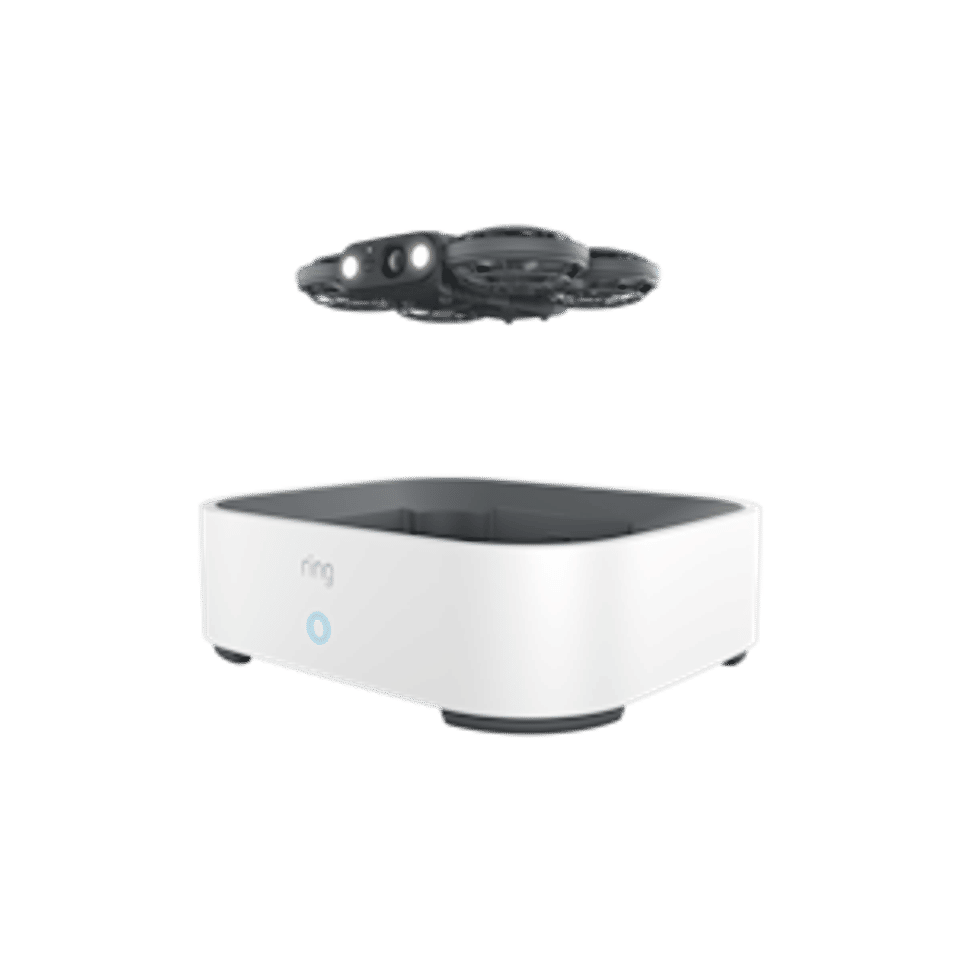
The listed box contents are Ring Drone Cam with battery installed, charging dock, power adapter, 6.6 ft (2 m) USB-C power cable, Quick Start Guide, and safety and regulatory documentation. The dock’s adapter is described as 120V–220V, with a stated input range of 90–265 VAC. The device uses a built-in rechargeable battery and the included charging dock.
Before setup, confirm that you have the dock, adapter, and cable, and that your power supply is suitable for the adapter. The supplied specifications do not describe an alternate connector, a replacement-adapter rating, or a separate battery-charging procedure. Do not substitute a different adapter based only on a connector appearing to fit.
Decide whether the features you want are included
Features listed without a subscription requirement
The support page lists 2K video, Live View, LED spotlights, autonomous flight, linked Ring devices, and privacy when docked among the included features. Video quality can vary with bandwidth and temperature. Flight time is stated as up to 8 minutes in controlled testing with a new, fully charged battery; actual time varies with environment, usage, and battery condition, and battery performance naturally declines with use.
Features with stated limits
Scheduled patrols require a compatible Ring subscription. Video search also requires a compatible Ring subscription, and the page says video search is unavailable to customers in Illinois because of state-specific legislation. Check the current subscription terms before relying on either feature; the supplied information does not identify a plan name or price.
Prepare for setup
Match your needs to the requirements. Confirm that the camera will be used indoors on one floor, in the stated temperature range, and that its lack of audio is acceptable.
Check the network. Verify supported Wi-Fi band and security, then check upload speed at the planned dock location. Compare it with the 5 Mbps recommendation and the video-resolution thresholds above.
Gather the listed equipment. Confirm you have the camera, charging dock, power adapter, and USB-C cable. Review the included Quick Start Guide and safety documentation for model-specific setup and handling instructions.
Check paid-feature needs. If scheduled patrols or video search are essential, verify compatible subscription availability first. If you are in Illinois, do not plan on using video search based on the stated regional restriction.
Use Ring’s model-specific support information for setup details. The supplied technical-specifications page is the official reference for the requirements in this guide: Ring Drone Cam technical specifications and support. It links to Ring’s system requirements information, but the supplied material does not state the current app, phone, or operating-system requirements. Check the current Ring app requirements there rather than relying on an assumed version or menu path.
Troubleshoot compatibility concerns before proceeding
The Wi-Fi network does not appear suitable
Confirm whether it supports 2.4 GHz or 5 GHz and WPA2 or WPA3. If you cannot establish that it meets these published requirements, consult your router documentation or Ring’s model-specific support page before continuing. The supplied source does not give instructions for router changes or specific app setup screens.
Video quality may be lower than expected
Compare measured upload speed with the stated thresholds: 10 Mbps for 2K, 4 Mbps for 1080p, and 2 Mbps for 720p. Ring says quality may vary with internet bandwidth and device temperature, so meeting a threshold is not a guarantee of constant resolution.
A required feature is unavailable
Check whether the feature has a stated limitation: scheduled patrols and video search require a compatible subscription, and video search is unavailable in Illinois. The supplied material does not establish eligibility for particular plans, prices, or other regional restrictions.
Verify your compatibility check
You are ready to consult the model’s setup instructions when you have confirmed all of the following: the intended use is indoor and single-floor; the environment is within 41°F–95°F (5°C–35°C); your Wi-Fi and upload speed are suitable for the performance you expect; the included dock and power equipment are available; and any subscription-dependent feature you need is supported for your situation. If any item remains uncertain, use Ring’s linked technical-support page for the model rather than applying instructions for a different camera.