How to troubleshoot a mobile network outage and check service status
Step‑by‑step guide to verify a Vodafone outage in Frankfurt, check service status, and restore mobile connectivity.

How to troubleshoot a mobile network outage and check service status
If you notice no signal or intermittent service on your Vodafone mobile device while in Frankfurt, follow these concise steps to determine whether the issue is a local outage, a device problem, or something else.
Prerequisites
Charged device – Ensure your phone has at least 20 % battery.
Verified backup – If you plan to reset network settings or erase data, confirm you have a recent backup (e.g., via Vodafone Cloud or iCloud/Google). Do not proceed without this verification.
Access to another device – A laptop or tablet can help you check the network status online.
Wi‑Fi connection – Needed for checking status pages and performing software updates.
1. Confirm the outage is not device‑specific
Restart your phone (hold power button → restart). This clears temporary glitches.
Toggle Airplane mode on for 30 seconds, then off.
Insert the SIM into a different phone (if available). If the second device also shows no service, the problem is likely network‑wide.
2. Check Vodafone’s service status for Frankfurt
Open a web browser on any device and go to Vodafone’s official Service Status page (search "Vodafone service status" on the Vodafone Germany website).
Look for any listed incidents affecting the Frankfurt area. Vodafone usually marks ongoing outages in red and provides an estimated resolution time.
If no outage is reported, proceed to the next step.
3. Verify local network coverage
Use the How to find my IP address guide to confirm your device is connected to the internet via Wi‑Fi.
Run a quick speed test with the How to Check Internet Speed on all your devices guide. Low speeds may indicate broader infrastructure issues.
4. Reset network settings (only after backup)
Warning: This action removes saved Wi‑Fi passwords and VPN configurations.
Go to Settings → General → Reset → Reset Network Settings.
Confirm the reset and let the phone restart.
Re‑enter your Wi‑Fi credentials and test mobile data again.
5. Update device software and carrier settings
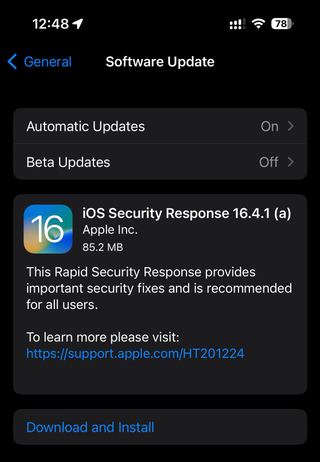
Check for a system update under Settings → Software Update.
If an update is available, install it; carrier settings are often refreshed automatically.
6. Contact Vodafone support if the issue persists
Use the in‑app Help section or the official contact page on Vodafone’s website.
Provide the following information: device model, SIM number, exact location (Frankfurt district), and any error messages.
7. Document the outcome
Record the steps you took, the status you observed, and any reference numbers from Vodafone support. This documentation helps if the problem recurs.
Note: Network outages can be intermittent; if service restores after a short wait, you may not need further action. Always keep your backup current to avoid data loss during troubleshooting.